
Kia ora and welcome! If you’re ready to share your creative mahi with the world, a personal profile on the Creative Taupō directory is the perfect place to start.
Step 1: Log In to Creative Studio
First things first — make sure you’ve created an account. Once that’s done, log in and head to the Creative Studio.
Click Edit My Profile to start adding your details.
Step 2: Add Your Images
Let’s make your profile pop! Upload your Profile image, and Header image.
- Profile image – This is your avatar across the site. A square image (1:1 ratio) works best.
- Header image – This appears at the top of your profile page. Use a 16:9 rectangular image for the best fit.
Both images can be up to 2MB in size. Choose visuals that reflect you and your creative identity — something eye-catching and unique!
Step 3: Fill in Your Details
Now it’s time to tell us about you.
Fill out your name, email address, phone number and bio.

Tips:
- Go by your real name or an artist name — whatever suits your creative persona (Taupō’s next Banksy? Go for it).
- In your bio, share a little about yourself, your art, what inspires you, and what your creative dreams look like.
- Your contact email is protected from bots behind the scenes, so no worries about spam!
Step 4: Add to Your Creative Profile
Under Creative Profile, you can let us know:
- What area of the Taupō district you’re based in
- What kind of creativity you’re involved in
- What you’d like to do in the community (collaborate, exhibit, teach, etc.)
- How can the team at Creative Taupō help you (promotion, event planning, advice, etc.)
- Any relevant links — website, Instagram, YouTube, Facebook… wherever people can find your work online

Do you run workshops or classes?
Awesome — include what you teach, who it’s for, where people can book, and any other key info in the Workshops/Classes Details box.
Step 5: Showcase Your Work
In the Additional Images gallery, you can upload up to 6 images of your work. These display best in a 4:3 landscape format, and (just like your other images) should be under 2MB.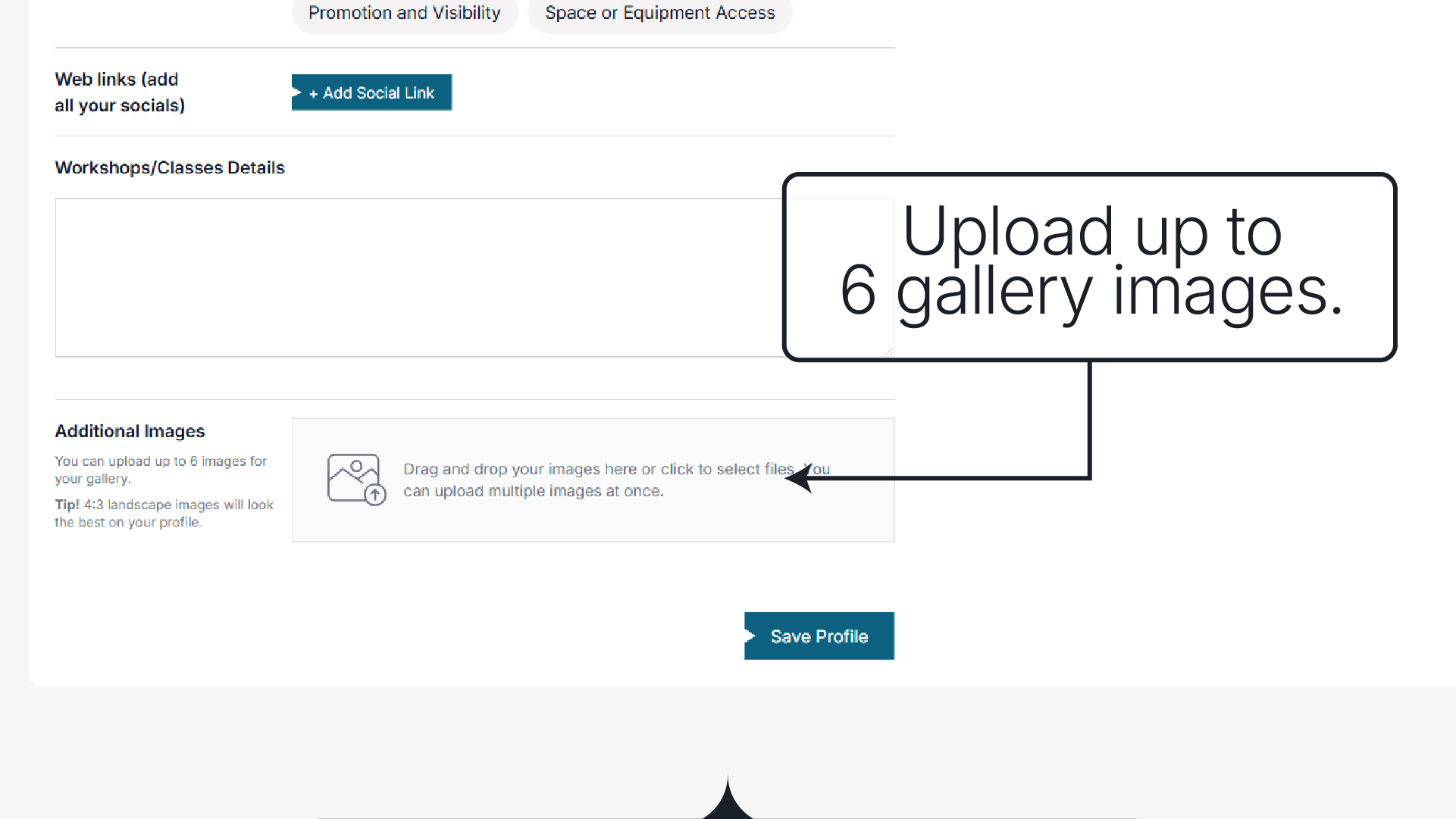
Step 6: Save and Submit
Once everything’s looking good, click Save Profile. Your profile will then be submitted for approval by the Arts Coordinator — just to make sure everything is appropriate and spam-free. Once approved, you’ll get an email letting you know your profile is live!
🎉 Congratulations!
You’re now part of the Creative Taupō directory. We’re stoked to have you in the community — let’s collaborate and grow the creative spirit of our district together.
Troubleshooting & Tips
Waiting on approval?
A yellow notice will appear at the top of your profile to let you know it’s still pending.
Want to view your live profile?
Log in, head to your dashboard, and click Edit My Profile. You’ll now see a View Profile link at the top right.
Need to make changes?
You can edit your profile anytime — just update the fields and click Save Profile again.
Something not working?
Reach out to the Arts Coordinator — we’re here to help!
More How To Guides
Ngā mihi nui,
The Creative Taupō Team