Kia ora and welcome to the Creative Taupō directory! We’re so glad you’re here and ready to showcase your creative self, your group, or your venue.
Whether you’re a local artist, part of a creative collective, or managing a space for events, this guide will walk you through the first step: setting up your account.
Why Create an Account?
If you want to:
- Add a personal profile in the People section
- Create a profile for a Creative Group
- List a Venue available for hire
…you’ll need to sign up. The good news? It’s easy, and we’ll show you how.
Step 1: Head to the Website
From the Creative Taupō homepage, click Join the Directory or Log In. This will take you to the Creative Studio area.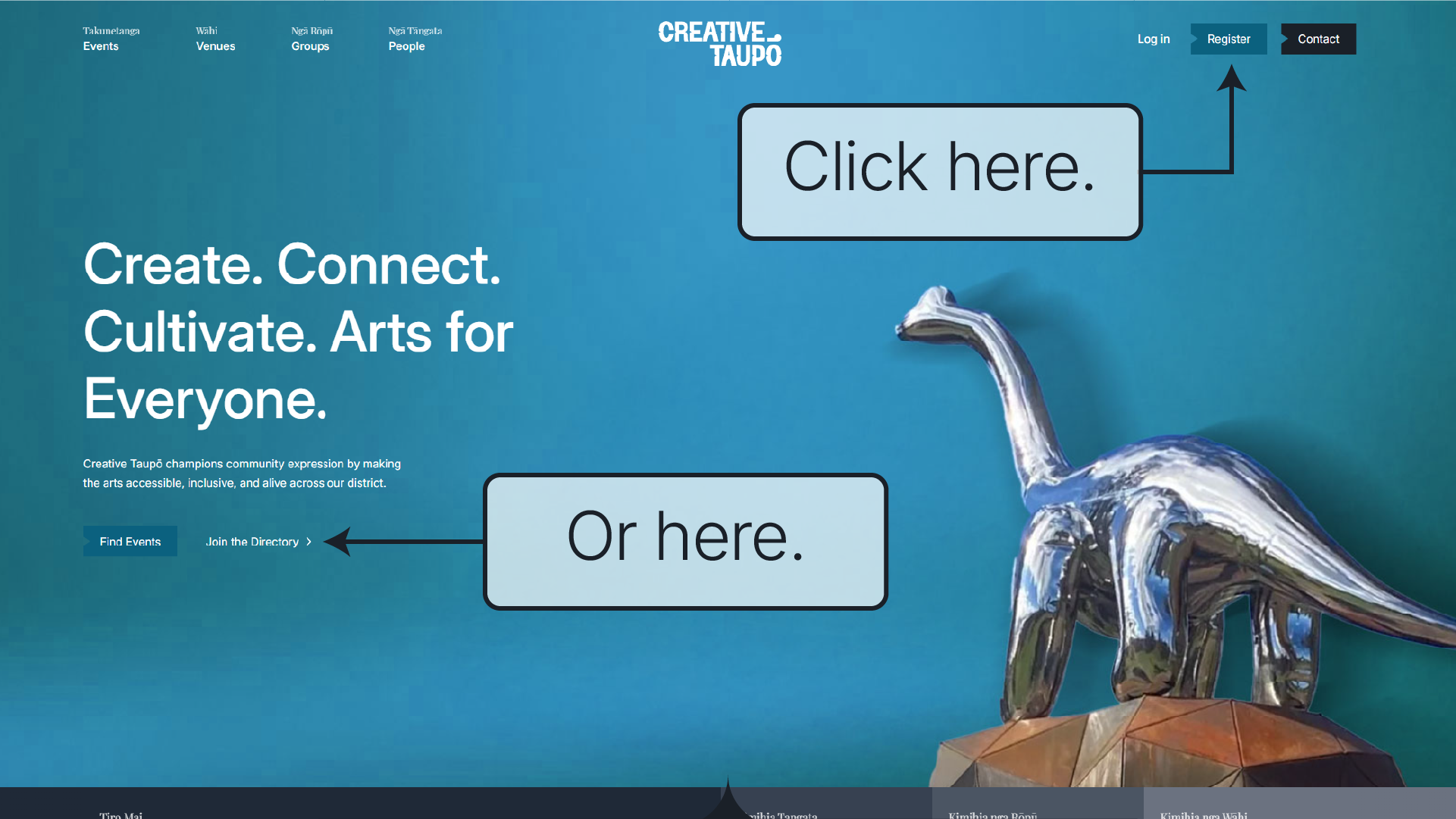
Step 2: Register Your Account
Click Register and fill in your details. All fields are required, so make sure everything is complete before you hit submit.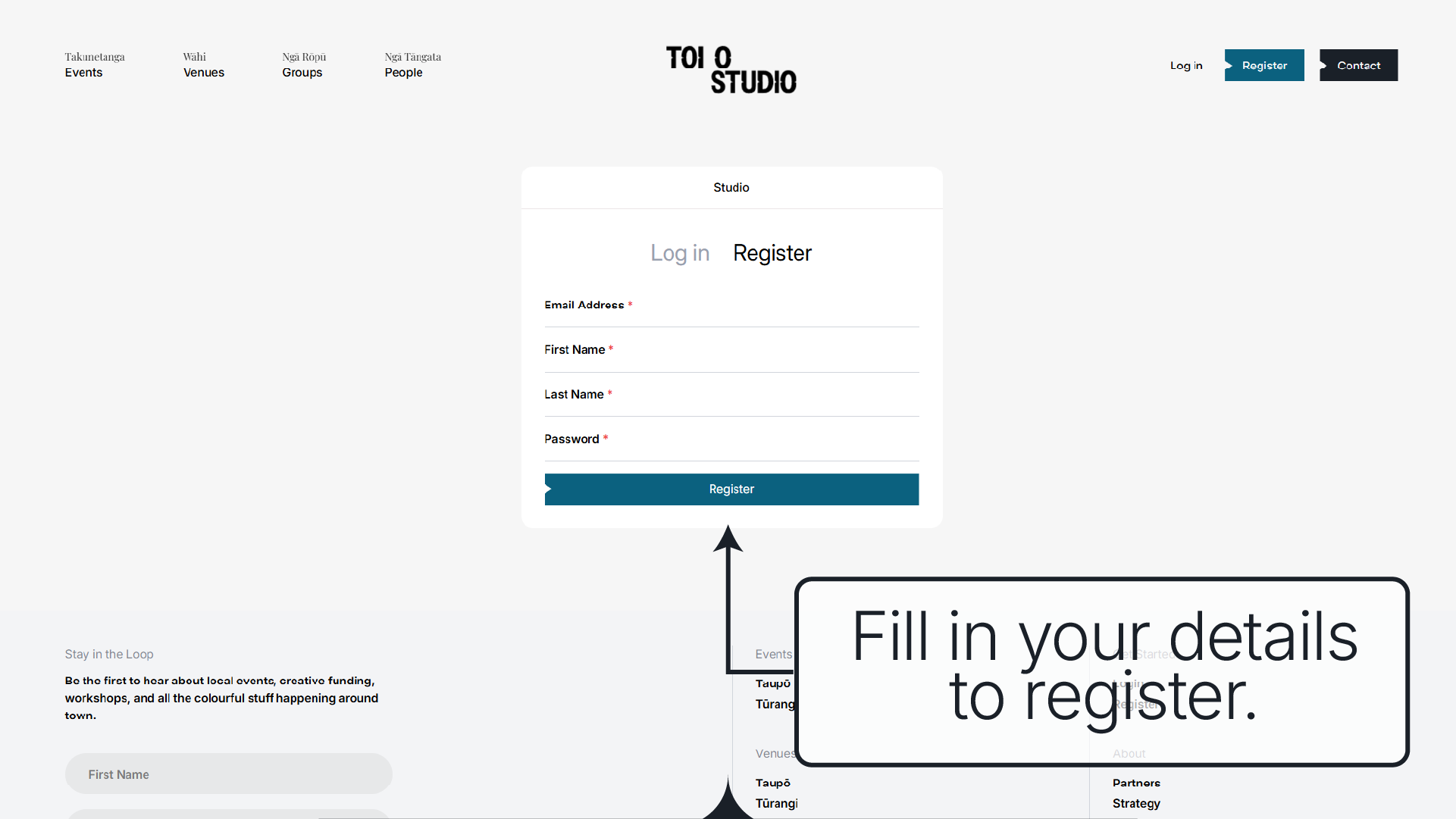
Step 3: Welcome to Your Dashboard!
Once you’re registered, you’ll land on your Creative Studio dashboard.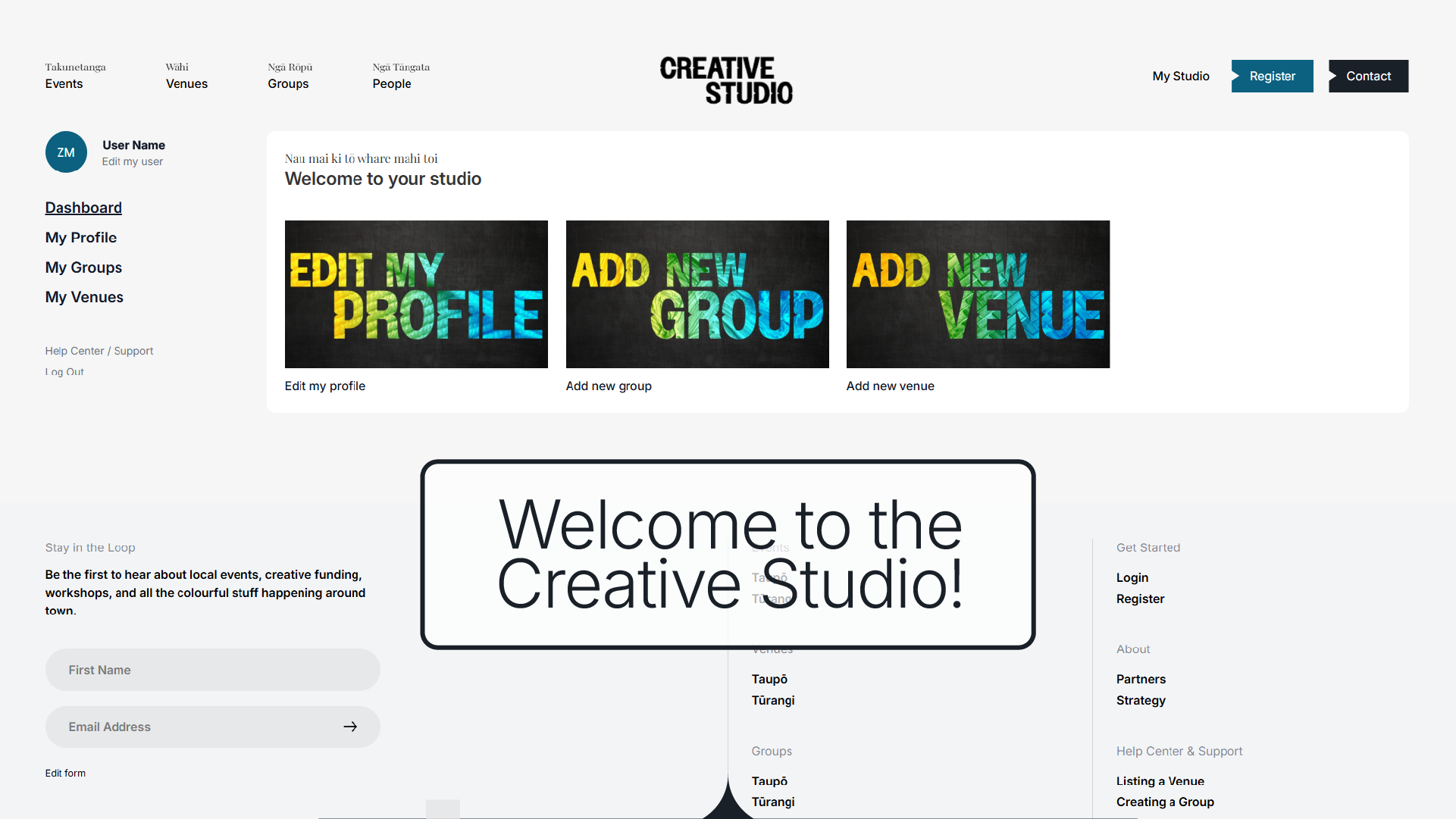
From here, you can:
- Create a personal Creative Profile and be added to the public directory
- Set up a Group Profile to promote your creative team or collective
- List a Venue for bookings by other creatives in the community
- Want to promote an event? Awesome — head over to our Event Listing Guide to learn how.
A Couple of Handy Notes
- You don’t need to create a personal profile to create a group profile or list a venue.
- You don’t need an account at all if you’re just looking to list an event, but we’d love to have you on board!
More How To Guides
That’s it — you’re all set up and ready to bring your creative presence to the Taupō community!
Ngā mihi,
The Creative Taupō Team